Welcome to WordPress. This is your first post. Edit or delete it, then start writing!
Blog
-

Ultra-Premium AI Image Enhancement Prompt (8K Cinematic Photo Upscaling)
Transform blurry photos into ultra-detailed 8K cinematic quality using this professional AI image enhancement prompt. Preserve identity, enhance clarity.
Transform Blurry Photos into 8K Cinematic Masterpieces
In today’s digital world, image quality matters more than ever. Whether you’re a content creator, photographer, designer, influencer, or digital marketer, high-resolution visuals directly impact engagement, credibility, and conversion rates.
But what if you have:
Old blurry photos?
Low-resolution portraits?
Soft-focus images?
Pixelated face shots?
Compressed social media images?
Instead of reshooting or redesigning everything, you can now use an ultra-premium AI image enhancement prompt that transforms low-quality images into extreme high-detail cinematic visuals — without changing identity, structure, or composition.
This professional-grade enhancement prompt is designed for tools like:
Midjourney
Leonardo AI
DALL·E
Stable Diffusion
Sora-based image engines
Professional AI upscalers
Why This Prompt Is Different from Normal “Enhance” Prompts
Most enhancement prompts:
Change the face
Alter facial structure
Add unrealistic skin smoothing
Replace lighting artificially
Modify pose or background
This premium prompt strictly focuses on true-to-source enhancement only.
It preserves:
100% original identity
Original face structure
Natural expression
Exact pose
Clothing & accessories
Background
Framing & composition
Nothing is redesigned. Nothing is replaced. Nothing is added.
It only improves:
Detail
Clarity
Sharpness
Texture
Lighting balance
This makes it perfect for professional work.
What This AI Enhancement Prompt Does
Here’s what makes this prompt extremely powerful:
1. Recovers Micro Details
It restores:
Sharp facial features
Natural skin texture
Visible pores
Realistic hair strands
Crisp, clear eyes
Refined edges
Instead of plastic smoothing, it creates photorealistic texture restoration.
2. Adds Cinematic Depth & Lighting
The prompt enhances:
High-contrast clarity
Deep depth perception
Balanced cinematic lighting
This gives your image a dramatic but accurate look — similar to high-end camera lenses and professional studio setups.
3. 8K Resolution & ProRes Output
It instructs AI to generate:
8K resolution output
Studio-level sharpness
Poster-grade realism
ProRes quality finish
This makes the final result suitable for:
Posters
Banners
YouTube thumbnails
Professional portfolios
Print designs
Magazine covers
Brand campaigns
Who Should Use This Prompt?
This ultra-premium image enhancement prompt is perfect for:
✔ Photographers
Restore old client photos without altering identity.
✔ YouTubers
Create ultra-HD thumbnails that increase CTR.
✔ Influencers
Upgrade Instagram, TikTok, and profile pictures to cinematic quality.
✔ Graphic Designers
Improve client-submitted low-quality images for commercial projects.
✔ E-commerce Sellers
Enhance product images while keeping them accurate.
✔ AI Content Creators
Generate professional-level visuals without manual editing.
Direct Copy-Paste Prompt (Ready to Use)
Below is the exact prompt.
You can copy and paste it directly into your AI tool.
Make sure you upload your image first before using it.
Copy code
“Ultra-premium professional image enhancement. Transform the uploaded low-quality, blurry image into extreme high-detail cinematic quality. Preserve 100% original identity, face structure, expression, pose, clothing, accessories, background, framing, and composition. Do NOT alter, redesign, replace, or add anything. Recover micro-details. sharp facial features natural skin texture visible pores realistic hair strands crisp eyes clean refined edges High-contrast clarity, deep depth, and balanced cinematic lighting. Poster-grade realism with dramatic but accurate detail. Output in 8K resolution, ProRes quality, studio-level sharpness. Photorealistic textures only. True-to-source enhancement only. Keep everything exactly the same – only enhance quality.”
Pro Tips for Maximum Results
To get even better results:
Use high-quality source images (even if blurry).
Avoid extremely compressed screenshots.
Use AI tools that support:
Upscaling
Detail refinement
High-resolution rendering
If available, set output to:
4K or 8K
High detail mode
RAW rendering
Why High-Quality Images Increase Engagement
Studies show that:
High-resolution thumbnails increase click-through rate.
Clear facial detail increases trust.
Cinematic lighting increases perceived professionalism.
Sharp visuals improve conversion rates.
If you’re running:
YouTube channel
AI content page
E-commerce store
Portfolio website
Digital marketing campaigns
This type of enhancement can dramatically increase visual authority.
SEO Keywords Included in This Post
AI image enhancement
8K image upscaling
Cinematic photo enhancement
Professional image sharpening
AI photo restoration
Ultra HD image generator
High detail image prompt
AI portrait enhancement
Photorealistic texture restoration
Studio-quality image enhancement
You can use this post on:
Your website
Blog
Medium
App landing page
AI tool promotion page
Final Thoughts
This is not a normal “make it sharp” prompt.
It is a professional-grade cinematic enhancement instruction that tells AI exactly what to improve — and what NOT to change.
If you want:
True-to-source enhancement
Identity-safe upscaling
Ultra-detailed cinematic results
8K professional output
This is the prompt you need.
Read more post here
Also visit this site for more..
-
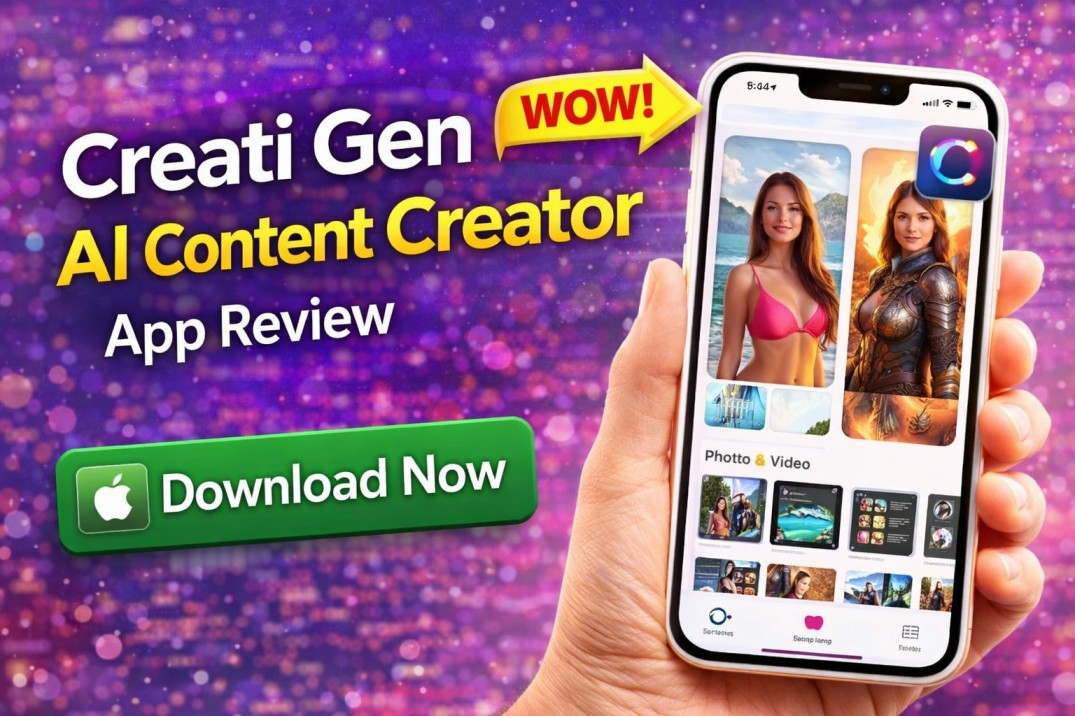
Creati Gen AI Content Creator App Review – Features, Pros & Download Guide
Explore Creati Gen AI Content Creator app review – features, pricing, pros & cons. Learn how AI creates photos & videos and whether it’s worth downloading.
Creati Gen AI Content Creator App – Full Review (2026 Edition)
AI content creation is reshaping how we edit photos, generate videos, and produce creative visuals using just our phones. One app that caught attention on the Apple App Store is Creati: Gen AI Content Creator — an AI-powered creative tool designed to help users produce eye-catching images and videos using intuitive templates and smart AI features. �
App Store
In this detailed review, we’ll cover everything from features and benefits to pricing, pros and cons, user feedback, and whether this app is truly worth your time in 2026.
📌 What Is the Creati Gen AI Content Creator App?
Creati: Gen AI Content Creator is an AI-enhanced app available for iPhone users that helps generate creative content from simple inputs. It uses advanced AI models to transform your photos into new scenes, artistic visuals, and social media-ready content with minimal effort. �
App Store
Whether you want professional-looking edits, Instagram-worthy photos, or AI-generated scenes like placing yourself in exotic locations, Creati promises a powerful creative experience — all from your mobile device.
📲 App Overview at a Glance
Name: Creati: Gen AI Content Creator
Platform: iOS (iPhone & iPad)
Category: Photo & Video / Graphics & Design
Size: ~186 MB
Content Rating: 17+
Availability: Apple App Store
Last Update: December 30, 2025 �
App Support
🌟 Key Features You Should Know
Here’s an in-depth look at what Creati can do:
🔥 1. AI-Powered Photo Editing
Creati uses powerful AI to transform regular photos into enhanced visuals with:
✔ Professional retouching
✔ Background changes
✔ Lighting and color improvements
✔ Smart subject enhancements
The app can literally repaint sections of a photo for a more polished look, which can be especially useful for social media and profile shots. �
JustUseApp
🎥 2. AI Video Creation Tools
Apart from photos, the app offers tools to generate short videos or motion effects from existing images — a feature that many content creators value for social posts and ads.
These capabilities can add dynamic movement to static pictures, creating engaging content fast.
📸 3. Virtual Background & Scene Replacement
Creati allows you to place yourself in virtual environments — from romantic landscapes to dramatic backdrops or exotic locations like Antarctica, all without leaving your home. �
App Store
This feature is perfect for:
Travel-themed posts
Creative storytelling
Marketing visuals
🚀 4. One-Tap AI Enhancements
No need for manual editing skills — just upload your photo and let AI handle the rest. The one-tap functionality is designed for users who want instant results without complex editing workflows.
✨ 5. Export & Share Options
Once your masterpiece is ready, you can easily export high-resolution files and share them directly to:
Instagram
TikTok
Facebook
Snapchat
WhatsApp
This makes the app ideal for influencers and casual creators who want shareable AI visuals.
💰 Pricing & Subscription Model
Unlike many free photo editors, Creati does not offer full functionality for free. Users must subscribe to unlock more advanced features and credit packs. Several users have reported that:
✔ There’s no free trial, and you must pay first to test features. �
✔ Subscriptions can be expensive with hidden in-app purchases. �
✔ Some subscription tiers still require additional credits. �
Anecdote AI
JustUseApp
JustUseApp
Common pricing patterns reported include:
Weekly subscription
Annual subscription (around $34.99–$39.99) �
AppsHunter
👍 Advantages of Using Creati App
Despite controversies in pricing, the app has several noteworthy advantages:
✅ AI-powered content creation
✅ No need for technical editing skills
✅ Quick photo transformation
✅ Great for social media visuals
✅ Can produce both images and videos
These tools are especially useful for:
Social media influencers
Small business owners
Freelance creators
Anyone wanting creative AI edits fast
👎 Disadvantages & User Complaints
While the concept is strong, user reviews highlight some issues:
❌ Misleading subscription model — users often forced to pay before trying features. �
❌ Limited functionality even after paying. �
❌ Frequent additional in-app purchases for credits. �
❌ Poor customer support response reported. �
❌ Some generations yield unrealistic or artificial results. �
Anecdote AI
JustUseApp
JustUseApp
Anecdote AI
JustUseApp
Many users also say the app’s advertising claims don’t fully match the real experience. �
Anecdote AI
📥 How to Download Creati Gen AI Content Creator App
You can install the app directly from the Apple App Store:
Steps to Download:
Open the Apple App Store on your iPhone
Search for Creati: Gen AI Content Creator
Tap Get or Install
Allow necessary permissions for photos/videos
Once installed, create an account to start your AI creative experience.
🧠 Tips to Maximize Your Experience
To get better results with Creati:
✔ Use high-resolution photos
✔ Try different backgrounds for best output
✔ Generate multiple variations and pick the best
✔ Start with simple edits before advanced scenes
💡 Creati vs Other AI Content Creators
AI content apps have exploded in popularity, but what sets Creati apart is its emphasis on both photo and video creation — something that many competitors offer separately.
However, some competing apps provide:
Clearer free trial options
Better transparency in pricing
More reliable customer support
Before subscribing, compare features with other AI creator apps to be certain it fits your needs.
❓ Frequently Asked Questions (FAQ)
Is Creati Gen AI Content Creator free?
The app is free to download, but most advanced editing and generation features require a paid subscription. �
Anecdote AI
Can I try it before paying?
Many users report that there is no free trial, and you usually must pay before you can use most features. �
Anecdote AI
Is the app safe to use?
There are no reports of malware or dangerous software, but user feedback suggests concerns around pricing transparency and subscription management. �
JustUseApp
Does it work on all iPhone devices?
Yes — compatible with iOS 13.5 or higher. �
App Support
Can I create videos with AI?
Yes, the app offers video generation tools, but credits or extra purchases may be required. �
AppsHunter
📌 Final Verdict
The Creati Gen AI Content Creator App offers powerful AI editing tools and creative templates that can transform ordinary photos into exciting visuals. Its strengths lie in ease of use and social media potential.
However, users should be cautious about subscription costs, limited free access, and potential hidden charges. If you’re willing to invest in AI content creation and want quick results, it may be worth a try — but proceed with clear expectations around pricing and limitations.
-

تطبيق اخفاء ازرار التحكم في الكامرا الاماميه
Download Material Capsule Dynamic Island app for Android. Get iPhone-style Dynamic Island, smart notifications, music controls & shortcuts.
Smartphone customization has evolved rapidly in recent years. Ever since Apple introduced the Dynamic Island feature in the iPhone 14 Pro lineup, Android users have been searching for similar functionality on their devices.
The Material Capsule Dynamic Island App brings that premium notification experience to Android smartphones. If you want your Android phone to look modern, interactive, and more functional, this app might be exactly what you need.
In this detailed guide, we will explore its features, advantages, setup process, performance, and whether it’s worth installing.
What is Material Capsule Dynamic Island App?
Material Capsule: Dyn. Island is an Android personalization tool that creates a smart notification capsule around your front camera area, similar to Apple’s Dynamic Island concept.
Instead of basic pop-up notifications, this app displays interactive animations that expand and collapse smoothly, showing real-time information such as:
Incoming calls
Music playback
Charging status
Timers
Alerts
Background activities
It transforms the punch-hole camera area into a functional and visually appealing smart hub.
Key Features of Material Capsule Dynamic Island App
1. iPhone-Style Dynamic Notifications
The core feature of this app is its dynamic notification system.
Whenever you receive a call, play music, set a timer, or use certain apps in the background, a capsule appears at the top of your screen. It expands when needed and minimizes automatically — creating a smooth, premium experience.
This makes multitasking much easier and more stylish.
2. Music Control Integration
One of the most useful features is built-in music controls.
You can:
Play or pause music
Skip tracks
View current song details
Control playback without opening the music app
It supports most major music streaming apps, making it extremely convenient for daily use.
3. Customizable Capsule Design
Customization is where this app truly stands out.
Users can adjust:
Capsule width and height
Position on screen
Animation speed
Color themes
Corner radius
Transparency
This allows you to create a Dynamic Island that perfectly matches your device’s theme and style.
4. Smart Shortcuts
Material Capsule also supports quick-access shortcuts such as:
Flashlight toggle
WiFi switch
Bluetooth
Screenshot
Camera launch
These shortcuts can save time and reduce the need to open the notification panel repeatedly.
5. Lightweight & Smooth Performance
Despite offering animation-based functionality, the app is relatively lightweight.
It runs smoothly in the background without significantly affecting device performance. When configured correctly, battery consumption remains minimal.
How to Download Material Capsule Dynamic Island App
To download the app:
Open Google Play Store
Search for “Material Capsule Dyn Island”
Tap Install
Grant necessary permissions
Make sure you download it from the official listing to ensure safety and updates.
How to Set Up Material Capsule Properly
After installation, follow these steps:
Enable Accessibility Permission
Allow Notification Access
Grant Overlay Permission
Disable Battery Optimization (recommended)
Customize capsule size and position
Once configured, the Dynamic Island feature becomes active immediately.
Advantages of Material Capsule Dynamic Island App
✔ Gives Android phones a premium iPhone-style look
✔ Enhances multitasking
✔ Smooth animations
✔ Highly customizable
✔ Smart music controls
✔ Easy to use interface
✔ Regular updates (if maintained by developer)
Disadvantages
❌ Some advanced features may require in-app purchase
❌ Requires accessibility permission
❌ May not work perfectly on very old Android versions
❌ Might conflict with aggressive battery savers
Who Should Install This App?
This app is ideal for:
Android users who want iPhone-style Dynamic Island
Users who enjoy UI customization
Content creators and tech enthusiasts
People who frequently multitask
Users who prefer modern notification styles
Is Material Capsule Safe?
Since it is available on the Google Play Store, it passes standard Google security checks.
However, because it requires accessibility and overlay permissions, you should always:
Download only from official Play Store
Review permissions carefully
Keep the app updated
Performance & Battery Impact
When properly configured:
Battery usage is minimal
CPU usage remains low
No major lag issues on mid-range devices
For best performance:
Disable battery optimization for the app
Allow background activity
Avoid using multiple similar overlay apps simultaneously
Comparison with Other Dynamic Island Apps
There are several Dynamic Island clones available for Android. However, Material Capsule stands out because:
It offers deeper customization
Clean Material-style UI
Smooth animation transitions
Better music integration
Many alternatives either lack smooth animations or provide limited customization.
Frequently Asked Questions (FAQs)
Is Material Capsule free?
Yes, the basic version is free. Some features may require premium access.
Does it work on Samsung devices?
Yes, it works on most Android devices including Samsung, Xiaomi, Oppo, Vivo, Realme, and others.
Does it copy Apple’s exact Dynamic Island?
It is inspired by Apple’s feature but designed independently for Android devices.
Will it slow down my phone?
On modern devices, it runs smoothly. Performance depends on your device’s specifications.
Final Verdict
The Material Capsule Dynamic Island App is one of the best personalization tools for Android users who want a modern, interactive notification experience.
It transforms your punch-hole camera area into a smart notification hub, improves multitasking, and enhances your phone’s aesthetic appeal.
If you enjoy customization and want your Android device to look premium and unique, this app is definitely worth trying.
For more related app visit
-

خلفيات رمضان 2026 متحركة HD – تحميل تطبيق خلفيات رمضان للأندرويد
تحميل خلفيات رمضان 2026 متحركة HD للأندرويد مجاناً. أفضل تطبيق خلفيات رمضان متحركة بجودة عالية وتصاميم إسلامية رائعة.
خلفيات رمضان 2026 متحركة HD تعتبر من أكثر ما يبحث عنه المستخدمون مع اقتراب شهر رمضان المبارك. فمع تطور الهواتف الذكية، أصبح الكثير من الأشخاص يهتمون بتخصيص هواتفهم بخلفيات تعكس أجواء الشهر الكريم، مثل الهلال، الفوانيس، المساجد، والعبارات الإسلامية الجميلة.
إذا كنت تبحث عن تحميل خلفيات رمضان 2026 بجودة عالية وبتصاميم متحركة احترافية، فإن تطبيق خلفيات رمضان 2026 متحركة HD يوفر لك تجربة مميزة تجمع بين الجمال، البساطة، والأداء السلس على جميع أجهزة الأندرويد.
في هذا المقال سنقدم لك مراجعة كاملة للتطبيق، مميزاته، طريقة التحميل، ولماذا يعتبر من أفضل تطبيقات خلفيات رمضان لعام 2026.
ما هو تطبيق خلفيات رمضان 2026 متحركة HD؟
تطبيق خلفيات رمضان 2026 متحركة HD هو تطبيق مخصص لأجهزة Android يتيح للمستخدمين تحميل وتعيين خلفيات رمضانية متحركة وعالية الدقة بسهولة. يندرج التطبيق ضمن فئة التخصيص (Personalization)، ويهدف إلى إضفاء أجواء روحانية على الهاتف طوال الشهر الفضيل.
يحتوي التطبيق على مجموعة واسعة من:
خلفيات رمضان متحركة للجوال
Ramadan live wallpapers 2026
تصاميم إسلامية عالية الجودة
خلفيات رمضان مبارك HD
صور هلال وفوانيس متحركة
لماذا يزداد البحث عن تحميل خلفيات رمضان 2026 كل عام؟
مع اقتراب رمضان، يزداد البحث على Google عن:
خلفيات رمضان 2026 متحركة HD
تحميل خلفيات رمضان 2026
Ramadan wallpapers HD
تطبيق خلفيات رمضان
وذلك لأن الكثير من المستخدمين يرغبون في تهيئة هواتفهم بأجواء رمضانية تعكس روح الشهر الكريم. الخلفيات المتحركة تعطي شعوراً بالحياة والجمال، خصوصاً عند وجود تأثيرات ضوئية وحركة ناعمة للهلال أو النجوم.
مميزات خلفيات رمضان 2026 متحركة HD
1️⃣ جودة عالية تناسب جميع الأجهزة
جميع الخلفيات مصممة بدقة HD، مما يجعلها مناسبة لجميع أحجام الشاشات، سواء كانت صغيرة أو كبيرة.
2️⃣ خلفيات متحركة احترافية
الميزة الأهم هي وجود خلفيات متحركة للجوال بتأثيرات جميلة، دون التأثير على أداء الجهاز أو استهلاك البطارية بشكل مفرط.
3️⃣ تصاميم متنوعة
يشمل التطبيق عدة أنواع من التصاميم:
خلفيات هلال رمضان
خلفيات فوانيس مضيئة
مساجد بإضاءة ليلية
عبارات رمضان مبارك
زخارف عربية إسلامية
4️⃣ واجهة سهلة الاستخدام
يمكنك اختيار الخلفية وتعيينها خلال ثوانٍ فقط، مما يجعله مناسباً لجميع المستخدمين.
5️⃣ تحديثات مستمرة
يتم تحديث التطبيق بإضافة خلفيات جديدة تناسب رمضان 2026.
مقارنة مع تطبيقات مشابهة
عند مقارنة تطبيق خلفيات رمضان 2026 متحركة HD مع تطبيقات أخرى، نجد أنه يتميز في عدة نقاط:
الميزة
هذا التطبيق
تطبيقات أخرى
خلفيات متحركة
✔ متوفرة
محدودة
جودة HD
✔ عالية
متوسطة
سرعة الأداء
✔ ممتازة
متفاوتة
سهولة الاستخدام
✔ سهلة
أحياناً معقدة
طريقة تحميل خلفيات رمضان 2026 متحركة HD
يمكنك تحميل التطبيق بسهولة عبر الخطوات التالية:
اضغط على زر التحميل أسفل المقال
سيتم تحويلك إلى متجر Google Play
اضغط على تثبيت
افتح التطبيق
اختر الخلفية المناسبة
اضغط تعيين كخلفية
فوائد استخدام تطبيق خلفيات رمضان
يمنح هاتفك طابعاً رمضانياً مميزاً
يعكس أجواء الشهر الكريم
يحفز على العبادة والذكر
مناسب لمشاركة الصور على مواقع التواصل
تطبيقات مشابهة قد تهمك
يمكنك أيضاً تصفح تطبيقات إسلامية للأندرويد عبر موقعك مثل:
أفضل خلفيات إسلامية HD
تطبيقات رمضان 2026
تطبيقات أذكار يومية
(قم بإضافة روابط داخلية لمقالاتك لتحسين SEO)
معلومات موثوقة عن شهر رمضان
لمعرفة المزيد عن شهر رمضان المبارك يمكنك زيارة:
https://en.wikipedia.org/wiki/Ramadan�
https://www.timeanddate.com/holidays/islam/ramadan�
الأسئلة الشائعة
هل التطبيق مجاني؟
نعم، التطبيق مجاني للتحميل والاستخدام.
هل الخلفيات متحركة فعلاً؟
نعم، يوفر خلفيات رمضان متحركة للجوال.
هل يدعم جميع أجهزة Android؟
يدعم معظم الأجهزة الحديثة.
هل يستهلك بطارية كبيرة؟
لا، تم تحسينه ليعمل بكفاءة.
هل يمكن مشاركة الخلفيات؟
نعم، يمكن مشاركة الصور بسهولة.
الخلاصة
إذا كنت تبحث عن أفضل تطبيق خلفيات رمضان متحركة للجوال لعام 2026، فإن خلفيات رمضان 2026 متحركة HD يعد خياراً مثالياً بفضل جودته العالية وتصاميمه الإسلامية الرائعة وسهولة استخدامه.
لا تفوت فرصة تزيين هاتفك بأجواء رمضان المبارك.
-

تعيين صوت عند فتح الهاتف – تحميل تطبيق Screen On Off Sound
تعيين صوت عند فتح الهاتف باستخدام تطبيق Screen On Off Sound. تحميل مباشر من Google Play مع شرح كامل للمميزات وطريقة الاستخدام.
تعيين صوت عند فتح الهاتف – تحميل تطبيق Screen On Off Sound من Google Play
Do you want to assign a sound when unlocking your Android phone?
If you are searching for تعيين صوت عند فتح الهاتف, then the Screen On Off Sound app is a simple and effective solution. This lightweight Android application allows you to set a custom sound when turning your screen on or off.
In this detailed guide, we will explain how to use the app, its features, safety details, and how to download it securely from Google Play.
ما هو تطبيق تعيين صوت عند فتح الهاتف؟
The Screen On Off Sound app, developed by Argon Dev, allows users to:
Play a sound when unlocking the phone
Play a sound when locking the phone
Customize built-in audio effects
Enable or disable sounds anytime
If you enjoy classic click sounds or notification tones when opening your phone, this app makes it possible.
Developer: Argon Dev
Rating: 4.4 ⭐
Downloads: 100K+
Contains Ads: Yes
مميزات تطبيق تعيين صوت عند فتح الهاتف
Here are the key features of the Screen On Off Sound app:
✔ تشغيل صوت عند فتح الهاتف
You can assign a specific sound that plays automatically when the screen turns on.
✔ تشغيل صوت عند إغلاق الشاشة
Set a sound effect when locking the device.
✔ خيارات صوت متعددة
The app provides multiple built-in sounds such as:
Ping
Popcorn
Simple tone
Notification sounds
✔ تشغيل وإيقاف بسهولة
You can enable or disable the feature anytime from inside the app.
✔ تطبيق خفيف وسريع
The app does not consume heavy system resources and works smoothly in the background.
كيفية تعيين صوت عند فتح الهاتف باستخدام التطبيق
Follow these simple steps:
Download the app from Google Play
Open the app
Enable the service option
Choose your preferred sound
Lock and unlock your phone to test
Once enabled, the selected sound will play automatically when the screen changes state.
تحميل تطبيق تعيين صوت عند فتح الهاتف
For safe installation, always download from the official Google Play Store.
هل تطبيق تيين صوت عند فتح الهاتف آمن؟
Yes, the app is available on Google Play, which makes it safer compared to unofficial APK sources.
However, always:
Check app permissions
Avoid modified APK versions
Download only from trusted sources
If you are interested in more Android customization apps, you can check:
👉 Best Free AI Tools for Instagram Reels
https://a.apkfac.com/best-free-ai-tools-for-instagram-reels-2026/%EF%BF%BD
👉 AI Tools for TikTok Video Editing
https://a.apkfac.com/ai-tools-for-tiktok-video-editing-2026/%EF%BF%BD
These guides help Android users enhance productivity and customization.
مزايا وعيوب التطبيق
المزايا:
Simple interface
Lightweight
Free to use
Multiple sound options
العيوب:
Contains ads
Limited advanced customization
No full custom MP3 upload support
لماذا يبحث المستخدمون عن تعيين صوت عند فتح الهاتف؟
Many Android users want:
Classic Nokia-style click sound
iPhone-like unlock sound
Custom system sound effects
Personalization features
This app provides a simple solution without root access.
مقارنة مع تطبيقات مشابهة
Compared to other similar apps, Screen On Off Sound:
Has a simple UI
Does not require root
Lightweight performance
Easy activation
While some apps provide advanced features, this app focuses on simplicity.
الأسئلة الشائعة حول تعيين صوت عند فتح الهاتف
هل يمكنني استخدام صوت مخصص من هاتفي؟
Currently, the app mainly supports built-in sound options.
هل يؤثر التطبيق على البطارية؟
No, it runs lightly in the background.
هل التطبيق مجاني؟
Yes, the app is free but contains ads.
هل يمكن إلغاء تفعيل الصوت بسهولة؟
Yes, you can disable the service anytime.
Final Verdict
If you are searching for تعيين صوت عند فتح الهاتف, the Screen On Off Sound app is a simple and lightweight solution available on Google Play.
It allows easy customization without complicated settings.
Download it safely using the button above and enjoy personalized screen sound effects.
-

Best AI Voice Generator Tools for YouTube in 2026 (Complete Guide)
Discover the best AI voice generator tools for YouTube in 2026. Compare free and paid AI voice tools for automation, storytelling, and faceless channels.
YouTube automation is growing rapidly in 2026. Thousands of creators are building faceless channels using AI-generated scripts, visuals, and voiceovers.
One of the most important tools in this process is an AI voice generator for YouTube.
Whether you create educational videos, motivational content, storytelling channels, or automation content, high-quality voiceovers can dramatically improve retention and professionalism.
In this complete guide, we will explore the best AI voice generator tools for YouTube in 2026, including free and paid options.
What Are AI Voice Generator Tools for YouTube?
AI voice generator tools use artificial intelligence to convert text into natural-sounding human speech.
These tools are widely used for:
-
Faceless YouTube channels
-
Educational explainer videos
-
Storytelling content
-
Motivational videos
-
Product review channels
If you are already using AI for scripting, you should also explore our full guide on:
👉 Best AI Tools for Content Creators in 2026
https://a.apkfac.com/best-ai-tools-for-content-creators-2026/Combining script AI + voice AI creates a powerful automation system.
Why Use AI Voice Generator Tools for YouTube?
Using AI voice generator tools for YouTube offers several advantages:
-
Save recording time
-
Avoid buying expensive microphones
-
Create multiple voice styles
-
Publish content faster
-
Scale automation channels
AI voice tools are especially powerful for creators who do not want to show their face or use their real voice.
1. ElevenLabs – Most Realistic AI Voice Generator
ElevenLabs is one of the most advanced AI voice generator tools for YouTube in 2026.
Key Features:
-
Ultra-realistic voice output
-
Multiple language support
-
Voice cloning
-
Emotion control
Best For:
-
Storytelling channels
-
Documentary content
-
Automation YouTube channels
Official Website: https://elevenlabs.io/
2. Murf AI – Professional AI Voice Tool
Murf AI offers studio-quality voiceovers.
Features:
-
100+ AI voices
-
Pitch and tone control
-
Background music integration
-
Commercial license options
Best For:
-
Business channels
-
Product reviews
-
Marketing videos
Official Website: https://murf.ai/
3. Play.ht – Multi-Language AI Voice Generator
Play.ht supports multiple languages and realistic speech styles.
Features:
-
Natural-sounding AI voices
-
API integration
-
Downloadable audio formats
Best For:
-
International YouTube channels
-
Educational content
Official Website: https://play.ht/
4. Descript Overdub – AI Voice Cloning Tool
Descript allows voice cloning and text-based editing.
Best For:
-
Podcast creators
-
Educational creators
-
Talking-head videos
Official Website: https://www.descript.com/
Benefits of Using AI Voice Generator Tools for YouTube
Here’s why creators are switching to AI voice generator tools for YouTube:
Faster Production
No need to record manually.
Professional Sound
Studio-like voice quality.
Scalable Content
Create multiple videos per day.
Automation Friendly
Perfect for passive income channels.
Multi-language Reach
Expand globally with different voices.
Comparison of AI Voice Generator Tools for YouTube
Tool Realism Free Version Best For ElevenLabs Very High Limited Automation Murf AI High Limited Business Play.ht High Limited Multi-language Descript Moderate Limited Podcast
How to Choose the Best AI Voice Generator for YouTube
Choose based on your needs:
-
Storytelling → ElevenLabs
-
Business & Marketing → Murf AI
-
International Audience → Play.ht
-
Editing + Voice Together → Descript
If you’re also creating TikTok content, read:
👉 AI Tools for TikTok Video Editing in 2026
https://a.apkfac.com/ai-tools-for-tiktok-video-editing-2026/And for Instagram creators:
👉 Best Free AI Tools for Instagram Reels
https://a.apkfac.com/best-free-ai-tools-for-instagram-reels-2026/This builds strong internal relevance for Google.
Are AI Voice Generators Safe for YouTube Monetization?
Yes — AI-generated voiceovers are allowed on YouTube.
However:
-
Avoid spam content
-
Add original value
-
Follow YouTube monetization policies
-
Avoid reused content
Quality + originality are important.
Frequently Asked Questions
Are AI voice generator tools for YouTube free?
Most tools offer free trials with limited credits.
Can AI voice replace real voice?
Yes, for automation channels — but personality still matters.
Which AI voice tool sounds most realistic?
ElevenLabs is currently one of the most realistic AI voice generators.
Is AI voice allowed for monetized channels?
Yes, if the content follows YouTube guidelines.
Final Verdict
AI voice generator tools for YouTube in 2026 are essential for creators who want to scale quickly.
If you want:
-
Maximum realism → ElevenLabs
-
Professional marketing tone → Murf AI
-
Multi-language expansion → Play.ht
Combine AI script tools + AI voice tools for full automation workflow.
-
-

Best AI Tools for TikTok Video Editing in 2026 (Free & Paid Options)
Discover the best AI tools for TikTok video editing in 2026. Explore free and paid AI editors, voice generators, and automation tools.
TikTok is one of the fastest-growing platforms in 2026. With millions of creators competing for attention, high-quality editing and strong hooks are essential.
That’s where AI tools for TikTok video editing can completely transform your workflow.
Whether you create motivational clips, educational content, faceless automation videos, or trending edits, AI-powered tools help you edit faster, improve quality, and grow consistently.
In this complete guide, we’ll explore the best AI tools for TikTok video editing in 2026, including free and paid options.
Why Use AI Tools for TikTok Video Editing?
Using AI tools for TikTok video editing helps creators:
-
Add automatic captions
-
Remove backgrounds instantly
-
Generate AI voiceovers
-
Detect smart cuts
-
Improve retention rate
-
Speed up editing process
If you are also creating Instagram content, you should read our detailed guide on:
👉 Best Free AI Tools for Instagram Reels in 2026
https://a.apkfac.com/best-free-ai-tools-for-instagram-reels-2026/And for a complete overview of AI platforms, check:
👉 Best AI Tools for Content Creators in 2026
https://a.apkfac.com/best-ai-tools-for-content-creators-2026/These articles are strongly connected and build topical authority.
1. CapCut AI – Best Overall AI TikTok Editor
CapCut is one of the most powerful AI tools for TikTok video editing.
Key Features:
-
Auto captions
-
Smart scene detection
-
Background remover
-
AI text-to-speech
-
Vertical video templates
CapCut is beginner-friendly and optimized for TikTok creators.
Official Website: https://www.capcut.com/
2. Descript – AI Editing with Text-Based Control
Descript allows you to edit videos by editing text.
Features include:
-
Automatic transcription
-
Remove filler words
-
AI voice cloning
-
Podcast-style editing
Best for educational and talking-head TikTok videos.
Official Website: https://www.descript.com/
3. Runway ML – Advanced AI Video Effects
Runway ML offers advanced AI editing tools such as:
-
Background replacement
-
Object removal
-
AI-generated effects
-
Motion tracking
Best for creators who want cinematic TikTok videos.
Official Website: https://runwayml.com/
4. Canva AI – Simple TikTok Video Maker
Canva AI now supports short-form video editing.
You can:
-
Create vertical TikTok videos
-
Add animated text
-
Use drag-and-drop templates
-
Remove image backgrounds
Canva is ideal for beginners.
Official Website: https://www.canva.com/
5. ElevenLabs – AI Voice Generator for TikTok
If you create faceless TikTok videos, ElevenLabs is a powerful AI voice generator.
It provides:
-
Realistic human-like voices
-
Multiple language options
-
Voice cloning features
Official Website: https://elevenlabs.io/
For more detailed comparison of voice tools, read:
👉 AI Voice Generator Tools for YouTube in 2026
https://a.apkfac.com/ai-voice-generator-tools-for-youtube/
Benefits of Using AI Tools for TikTok Video Editing
Here’s why creators prefer AI tools for TikTok video editing:
Faster Content Production
Edit in minutes instead of hours.
Better Watch Time
Auto captions improve viewer retention.
Improved Content Quality
AI background removal makes videos look professional.
Automation Friendly
Perfect for faceless TikTok channels.
Consistency
Helps maintain daily posting schedule.
Comparison of AI Tools for TikTok Video Editing
Tool Best For Free Version Beginner Friendly CapCut Full Editing Yes Yes Descript Talking Videos Limited Moderate Runway ML Advanced Effects Limited Moderate Canva AI Simple Editing Yes Yes ElevenLabs Voiceovers Limited Yes
How to Choose the Right AI Tool
Choose based on your content type:
-
Trend-based content → CapCut
-
Educational content → Descript
-
Cinematic content → Runway ML
-
Simple template videos → Canva
-
Faceless automation → ElevenLabs
Most beginners should start with CapCut + ElevenLabs.
Mistakes to Avoid When Using AI Tools for TikTok Video Editing
Even the best AI tools for TikTok video editing cannot guarantee success if misused.
Avoid:
-
Over-editing
-
Using generic hooks
-
Ignoring TikTok trends
-
Posting inconsistently
-
Using low-quality audio
AI improves efficiency — strategy drives growth.
Frequently Asked Questions
Are AI tools allowed on TikTok?
Yes. AI tools are allowed as long as your content follows TikTok community guidelines.
Which is the best free AI tool for TikTok editing?
CapCut is widely considered the best free AI TikTok editor.
Do AI tools guarantee viral videos?
No tool guarantees virality. Audience targeting and creativity matter more.
Are AI voice generators effective for TikTok?
Yes, especially for storytelling and faceless content creators.
Final Verdict
AI tools for TikTok video editing in 2026 make content creation easier, faster, and more professional.
Start with:
-
CapCut for editing
-
ElevenLabs for voice
-
Canva for quick templates
Then scale your workflow as your page grows.
AI supports growth — but creativity and consistency build success.
-
-

Best Free AI Tools for Instagram Reels in 2026 (Complete Guide)
Discover the best free AI tools for Instagram Reels in 2026. Generate scripts, captions, thumbnails, and voiceovers to grow faster on Instagram.
Instagram Reels are one of the fastest ways to grow on social media in 2026. But creating high-quality, engaging Reels consistently requires time, creativity, and editing skills.
That’s where the best free AI tools for Instagram Reels can completely transform your workflow.
From generating viral scripts and captions to editing videos automatically and adding realistic voiceovers, these AI tools help creators save time, improve quality, and grow faster without spending money.
In this complete guide, you’ll discover the best free AI tools for Instagram Reels, how they work, and how to choose the right one for your content strategy.
If you are serious about growing on Instagram this year, this guide is for you.
What Are the Best Free AI Tools for Instagram Reels?
The best free AI tools for Instagram Reels are software platforms powered by artificial intelligence that help automate content creation tasks.
These tools can help you:
-
Generate Reel scripts
-
Create engaging captions
-
Suggest trending hashtags
-
Edit videos automatically
-
Add subtitles instantly
-
Generate AI voiceovers
-
Design Reel cover images
Instead of spending hours on manual editing, AI tools simplify and accelerate your workflow.
👉 For a broader overview of AI platforms, check our complete guide on AI tools for content creators in 2026.
(Internal Link: /best-ai-tools-for-content-creators-2026/)
Why Use the Best Free AI Tools for Instagram Reels?
Using the best free AI tools for Instagram Reels gives creators a competitive advantage in a crowded social media space.
Here’s how they help:
-
Save time on scripting and editing
-
Improve video retention with auto captions
-
Generate strong hooks instantly
-
Maintain consistent posting
-
Improve engagement with optimized captions
Creators who use the best free AI tools for Instagram Reels often experience faster growth because consistency and quality both improve.
AI does not replace creativity — it enhances it.
1. ChatGPT – Best AI Script Generator for Reels
ChatGPT is one of the most powerful AI writing tools available today. It helps generate:
-
30-second Reel scripts
-
Viral hooks
-
Instagram captions
-
Content ideas
-
Call-to-action lines
Example prompt you can use:
“Write a 30-second Instagram Reel script about productivity tips with a strong hook and engaging CTA.”
ChatGPT is beginner-friendly and perfect for creators who struggle with ideas.
Official Website: https://chat.openai.com/
2. CapCut AI – Best Free AI Video Editing Tool
CapCut includes advanced AI editing features ideal for short-form content.
Key Features:
-
Auto captions
-
Background removal
-
Smart scene cuts
-
AI text-to-speech
-
Built-in Reel templates
CapCut is especially popular among TikTok and Instagram creators because it simplifies professional-level editing.
Official Website: https://www.capcut.com/
👉 You can also explore more editing-focused tools in our upcoming guide on AI tools for TikTok video editing.
(Internal Link: /ai-tools-for-tiktok-video-editing-2026/)
3. Canva AI – Reel Cover & Thumbnail Creator
Professional visuals increase click-through rates. Canva AI helps you create:
-
Reel cover images
-
Story designs
-
Text animations
-
Background removal
-
AI-generated images
Even beginners can create eye-catching visuals in minutes.
Official Website: https://www.canva.com/
4. Predis.ai – AI Caption & Hashtag Generator
Predis.ai is designed specifically for social media growth.
It helps generate:
-
Optimized Instagram captions
-
Trending hashtags
-
Content ideas
-
Social media planning suggestions
Using optimized captions increases engagement and reach.
Official Website: https://predis.ai/
5. ElevenLabs – AI Voice Generator for Reels
If you create faceless Instagram Reels, ElevenLabs can generate realistic AI voiceovers.
Best for:
-
Motivation content
-
Storytelling
-
Educational videos
-
Automation pages
Official Website: https://elevenlabs.io/
👉 For more voice tools, read our detailed comparison of AI voice generator tools for YouTube creators.
(Internal Link: /ai-voice-generator-tools-for-youtube/)
Benefits of Using the Best Free AI Tools for Instagram Reels
Here’s why creators prefer using the best free AI tools for Instagram Reels:
1. Faster Content Production
You can create scripts and edit videos in minutes instead of hours.
2. Better Video Retention
Auto captions increase watch time.
3. Improved Engagement
Optimized captions and hashtags improve visibility.
4. Consistent Posting
AI reduces creative burnout.
5. Cost Effective
Most tools offer free versions suitable for beginners.
The combination of efficiency and quality makes these tools powerful growth accelerators.
Comparison of the Best Free AI Tools for Instagram Reels
Tool Best For Free Version Beginner Friendly ChatGPT Scripts & Ideas Yes Yes CapCut Video Editing Yes Yes Canva AI Covers & Design Yes Yes Predis.ai Captions & Hashtags Limited Yes ElevenLabs Voiceovers Limited Moderate This comparison helps you choose based on your needs.
How to Choose the Right AI Tool for Your Reels
Choosing the best free AI tools for Instagram Reels depends on your content style.
If you need:
-
Scripts → Use ChatGPT
-
Editing → Use CapCut
-
Cover design → Use Canva
-
Captions → Use Predis.ai
-
Voiceovers → Use ElevenLabs
Most beginners can start with ChatGPT + CapCut combination.
Mistakes to Avoid When Using AI Tools for Instagram Reels
While the best free AI tools for Instagram Reels are powerful, many creators misuse them.
Avoid these mistakes:
-
Copying AI text without editing
-
Using generic hooks
-
Ignoring trends
-
Overusing automated hashtags
-
Not adding personal creativity
AI should support your creativity — not replace your personality.
Are Free AI Tools Enough for Instagram Growth?
Yes, for beginners free tools are more than enough.
As your account grows, you may consider upgrading for:
-
Higher export limits
-
Advanced features
-
Premium templates
But remember: growth depends on value and consistency — not just tools.
for more ai tools visit here
Frequently Asked Questions
Are the best free AI tools for Instagram Reels safe to use?
Yes, when accessed through official websites, these tools are safe and widely used by creators.
Can AI tools make my Instagram Reels go viral?
AI tools improve efficiency and quality, but virality depends on audience interest and content strategy.
Which is the best free AI tool for beginners?
ChatGPT and CapCut are the best starting tools for new creators.
Do AI tools increase Instagram engagement?
Yes, because they help improve captions, hooks, and video quality — which can increase engagement over time.
Final Verdict
Using the best free AI tools for Instagram Reels in 2026 can dramatically improve your workflow and growth potential.
Start with:
-
ChatGPT for scripts
-
CapCut for editing
-
Canva for visuals
Then expand your toolkit as your page grows.
Consistency + AI efficiency = faster growth.
-
-

Best AI Tools for Content Creators in 2026 (Free & Paid Guide)
Discover the best AI tools for content creators in 2026. Explore free and paid AI writing, video editing, thumbnail, and voice tools to grow faster.
Creating high-quality content consistently is one of the biggest challenges for bloggers, YouTubers, Instagram creators, and TikTok influencers. In 2026, competition is higher than ever — and that’s where AI tools for content creators are making a huge difference.
From writing blog posts and scripts to editing videos and generating thumbnails, AI tools help creators save time, increase productivity, and scale faster.
In this complete guide, you’ll discover the best AI tools for content creators in 2026, including writing tools, video editors, image generators, and voice tools.
Let’s get started.
What Are AI Tools for Content Creators?
AI tools are software platforms powered by artificial intelligence that assist with content creation tasks.
They can help you:
-
Generate blog articles
-
Write Instagram captions
-
Create YouTube scripts
-
Edit videos automatically
-
Generate thumbnails
-
Create AI voiceovers
-
Improve SEO optimization
Whether you’re a beginner or a professional creator, AI tools can dramatically improve your workflow.
Why Content Creators Should Use AI Tools
Using AI tools offers several advantages:
-
Save hours of manual work
-
Improve content quality
-
Maintain posting consistency
-
Generate unlimited content ideas
-
Optimize content for search engines
If you want to grow faster on platforms like YouTube, Instagram, or Google, AI tools are no longer optional.
Best AI Writing Tools for Content Creators
1. ChatGPT
ChatGPT is one of the most powerful AI writing tools available today.
It helps with:
-
Blog post outlines
-
Full article drafts
-
Video scripts
-
Social media captions
-
FAQ generation
Best for bloggers, YouTubers, and social media creators.
Official Website: https://chat.openai.com/
2. Jasper AI
Jasper AI is designed for marketing and long-form content writing.
Features include:
-
SEO-focused content
-
Brand voice customization
-
Templates for ads and emails
Official Website: https://www.jasper.ai/
Best AI Video Editing Tools
3. CapCut AI
CapCut offers powerful AI editing features including:
-
Auto captions
-
Background removal
-
Smart video cuts
-
AI effects
Ideal for TikTok and Instagram Reels creators.
Official Website: https://www.capcut.com/
4. Descript
Descript allows creators to edit videos by editing text.
Features:
-
Automatic transcription
-
AI voice cloning
-
Podcast editing
Official Website: https://www.descript.com/
Best AI Image & Thumbnail Generators
5. Canva AI
Canva AI helps create:
-
YouTube thumbnails
-
Instagram posts
-
Blog featured images
-
Social media graphics
Official Website: https://www.canva.com/
6. Midjourney
Midjourney generates high-quality AI images from text prompts.
Perfect for unique thumbnails and branding visuals.
Official Website: https://www.midjourney.com/
Best AI Voice Generator Tools
7. ElevenLabs
ElevenLabs creates realistic AI voiceovers.
Best for:
-
YouTube automation
-
Faceless videos
-
Educational content
Official Website: https://elevenlabs.io/
8. Murf AI
Murf AI offers professional voiceovers for creators and marketers.
Official Website: https://murf.ai/
How to Choose the Right AI Tool
Before selecting any AI tool, consider:
-
Do you need help with writing or editing?
-
Are you creating long-form or short-form content?
-
Do you prefer free tools or premium features?
Beginners should start with free AI tools and upgrade as needed.
Are AI Tools Safe to Use?
Most AI tools listed above are safe when used through their official websites.
To stay safe:
-
Avoid unofficial downloads
-
Read privacy policies
-
Use strong passwords
-
Enable two-factor authentication
Do you want to try more ai tools? Visit here
Frequently Asked Questions (FAQs)
Are AI tools free for content creators?
Many AI tools offer free plans with limited features. Premium versions provide advanced options.
Can AI replace content creators?
No. AI assists creators but cannot replace creativity, strategy, and human originality.
Which AI tool is best for beginners?
ChatGPT and Canva AI are excellent starting points.
Do AI tools help with SEO ranking?
AI tools help structure content and generate ideas, but ranking depends on quality, optimization, and backlinks.
Final Thoughts
AI tools for content creators in 2026 are powerful productivity boosters. Whether you are a blogger, YouTuber, or social media influencer, integrating AI into your workflow can help you scale faster and stay competitive.
Start with one or two tools, experiment, and build a system that fits your content strategy.
-