Category: Ai tools

  • Ultra-Premium AI Image Enhancement Prompt (8K Cinematic Photo Upscaling)

    Ultra-Premium AI Image Enhancement Prompt (8K Cinematic Photo Upscaling)

    Transform blurry photos into ultra-detailed 8K cinematic quality using this professional AI image enhancement prompt. Preserve identity, enhance clarity.

    Transform Blurry Photos into 8K Cinematic Masterpieces

    In today’s digital world, image quality matters more than ever. Whether you’re a content creator, photographer, designer, influencer, or digital marketer, high-resolution visuals directly impact engagement, credibility, and conversion rates.

    But what if you have:

    Old blurry photos?

    Low-resolution portraits?

    Soft-focus images?

    Pixelated face shots?

    Compressed social media images?

    Instead of reshooting or redesigning everything, you can now use an ultra-premium AI image enhancement prompt that transforms low-quality images into extreme high-detail cinematic visuals — without changing identity, structure, or composition.

    This professional-grade enhancement prompt is designed for tools like:

    Midjourney

    Leonardo AI

    DALL·E

    Stable Diffusion

    Sora-based image engines

    Professional AI upscalers

    Why This Prompt Is Different from Normal “Enhance” Prompts

    Most enhancement prompts:

    Change the face

    Alter facial structure

    Add unrealistic skin smoothing

    Replace lighting artificially

    Modify pose or background

    This premium prompt strictly focuses on true-to-source enhancement only.

    It preserves:

    100% original identity

    Original face structure

    Natural expression

    Exact pose

    Clothing & accessories

    Background

    Framing & composition

    Nothing is redesigned. Nothing is replaced. Nothing is added.

    It only improves:

    Detail

    Clarity

    Sharpness

    Texture

    Lighting balance

    This makes it perfect for professional work.

    What This AI Enhancement Prompt Does

    Here’s what makes this prompt extremely powerful:

    1. Recovers Micro Details

    It restores:

    Sharp facial features

    Natural skin texture

    Visible pores

    Realistic hair strands

    Crisp, clear eyes

    Refined edges

    Instead of plastic smoothing, it creates photorealistic texture restoration.

    2. Adds Cinematic Depth & Lighting

    The prompt enhances:

    High-contrast clarity

    Deep depth perception

    Balanced cinematic lighting

    This gives your image a dramatic but accurate look — similar to high-end camera lenses and professional studio setups.

    3. 8K Resolution & ProRes Output

    It instructs AI to generate:

    8K resolution output

    Studio-level sharpness

    Poster-grade realism

    ProRes quality finish

    This makes the final result suitable for:

    Posters

    Banners

    YouTube thumbnails

    Professional portfolios

    Print designs

    Magazine covers

    Brand campaigns

    Who Should Use This Prompt?

    This ultra-premium image enhancement prompt is perfect for:

    ✔ Photographers

    Restore old client photos without altering identity.

    ✔ YouTubers

    Create ultra-HD thumbnails that increase CTR.

    ✔ Influencers

    Upgrade Instagram, TikTok, and profile pictures to cinematic quality.

    ✔ Graphic Designers

    Improve client-submitted low-quality images for commercial projects.

    ✔ E-commerce Sellers

    Enhance product images while keeping them accurate.

    ✔ AI Content Creators

    Generate professional-level visuals without manual editing.

    Direct Copy-Paste Prompt (Ready to Use)

    Below is the exact prompt.

    You can copy and paste it directly into your AI tool.

    Make sure you upload your image first before using it.

    Copy code

    “Ultra-premium professional image enhancement. Transform the uploaded low-quality, blurry image into extreme high-detail cinematic quality. Preserve 100% original identity, face structure, expression, pose, clothing, accessories, background, framing, and composition. Do NOT alter, redesign, replace, or add anything. Recover micro-details. sharp facial features natural skin texture visible pores realistic hair strands crisp eyes clean refined edges High-contrast clarity, deep depth, and balanced cinematic lighting. Poster-grade realism with dramatic but accurate detail. Output in 8K resolution, ProRes quality, studio-level sharpness. Photorealistic textures only. True-to-source enhancement only. Keep everything exactly the same – only enhance quality.”

    Pro Tips for Maximum Results

    To get even better results:

    Use high-quality source images (even if blurry).

    Avoid extremely compressed screenshots.

    Use AI tools that support:

    Upscaling

    Detail refinement

    High-resolution rendering

    If available, set output to:

    4K or 8K

    High detail mode

    RAW rendering

    Why High-Quality Images Increase Engagement

    Studies show that:

    High-resolution thumbnails increase click-through rate.

    Clear facial detail increases trust.

    Cinematic lighting increases perceived professionalism.

    Sharp visuals improve conversion rates.

    If you’re running:

    YouTube channel

    AI content page

    E-commerce store

    Portfolio website

    Digital marketing campaigns

    This type of enhancement can dramatically increase visual authority.

    SEO Keywords Included in This Post

    AI image enhancement

    8K image upscaling

    Cinematic photo enhancement

    Professional image sharpening

    AI photo restoration

    Ultra HD image generator

    High detail image prompt

    AI portrait enhancement

    Photorealistic texture restoration

    Studio-quality image enhancement

    You can use this post on:

    Your website

    Blog

    Medium

    App landing page

    AI tool promotion page

    Final Thoughts

    This is not a normal “make it sharp” prompt.

    It is a professional-grade cinematic enhancement instruction that tells AI exactly what to improve — and what NOT to change.

    If you want:

    True-to-source enhancement

    Identity-safe upscaling

    Ultra-detailed cinematic results

    8K professional output

    This is the prompt you need.

    Read more post here

    Also visit this site for more..
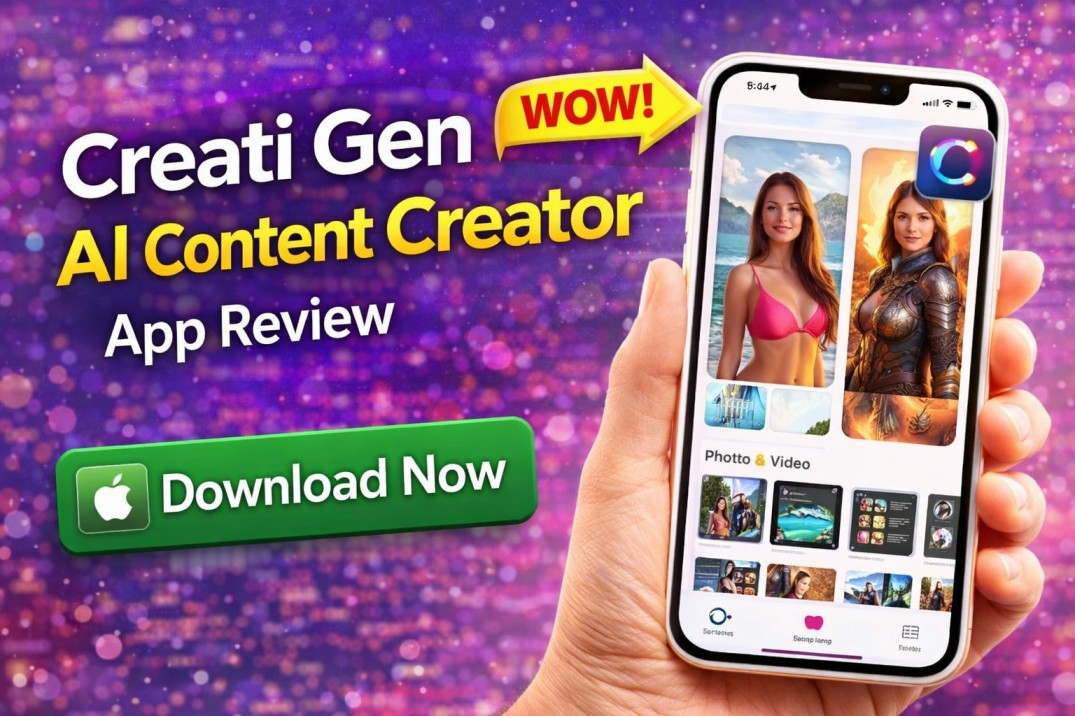
  • Creati Gen AI Content Creator App Review – Features, Pros & Download Guide

    Creati Gen AI Content Creator App Review – Features, Pros & Download Guide

    Explore Creati Gen AI Content Creator app review – features, pricing, pros & cons. Learn how AI creates photos & videos and whether it’s worth downloading.

    Creati Gen AI Content Creator App – Full Review (2026 Edition)

    AI content creation is reshaping how we edit photos, generate videos, and produce creative visuals using just our phones. One app that caught attention on the Apple App Store is Creati: Gen AI Content Creator — an AI-powered creative tool designed to help users produce eye-catching images and videos using intuitive templates and smart AI features. �

    App Store

    In this detailed review, we’ll cover everything from features and benefits to pricing, pros and cons, user feedback, and whether this app is truly worth your time in 2026.

    📌 What Is the Creati Gen AI Content Creator App?

    Creati: Gen AI Content Creator is an AI-enhanced app available for iPhone users that helps generate creative content from simple inputs. It uses advanced AI models to transform your photos into new scenes, artistic visuals, and social media-ready content with minimal effort. �

    App Store

    Whether you want professional-looking edits, Instagram-worthy photos, or AI-generated scenes like placing yourself in exotic locations, Creati promises a powerful creative experience — all from your mobile device.

    📲 App Overview at a Glance

    Name: Creati: Gen AI Content Creator

    Platform: iOS (iPhone & iPad)

    Category: Photo & Video / Graphics & Design

    Size: ~186 MB

    Content Rating: 17+

    Availability: Apple App Store

    Last Update: December 30, 2025 �

    App Support

    🌟 Key Features You Should Know

    Here’s an in-depth look at what Creati can do:

    🔥 1. AI-Powered Photo Editing

    Creati uses powerful AI to transform regular photos into enhanced visuals with:

    ✔ Professional retouching

    ✔ Background changes

    ✔ Lighting and color improvements

    ✔ Smart subject enhancements

    The app can literally repaint sections of a photo for a more polished look, which can be especially useful for social media and profile shots. �

    JustUseApp

    🎥 2. AI Video Creation Tools

    Apart from photos, the app offers tools to generate short videos or motion effects from existing images — a feature that many content creators value for social posts and ads.

    These capabilities can add dynamic movement to static pictures, creating engaging content fast.

    📸 3. Virtual Background & Scene Replacement

    Creati allows you to place yourself in virtual environments — from romantic landscapes to dramatic backdrops or exotic locations like Antarctica, all without leaving your home. �

    App Store

    This feature is perfect for:

    Travel-themed posts

    Creative storytelling

    Marketing visuals

    🚀 4. One-Tap AI Enhancements

    No need for manual editing skills — just upload your photo and let AI handle the rest. The one-tap functionality is designed for users who want instant results without complex editing workflows.

    ✨ 5. Export & Share Options

    Once your masterpiece is ready, you can easily export high-resolution files and share them directly to:

    Instagram

    TikTok

    Facebook

    Snapchat

    WhatsApp

    This makes the app ideal for influencers and casual creators who want shareable AI visuals.

    💰 Pricing & Subscription Model

    Unlike many free photo editors, Creati does not offer full functionality for free. Users must subscribe to unlock more advanced features and credit packs. Several users have reported that:

    ✔ There’s no free trial, and you must pay first to test features. �

    ✔ Subscriptions can be expensive with hidden in-app purchases. �

    ✔ Some subscription tiers still require additional credits. �

    Anecdote AI

    JustUseApp

    JustUseApp

    Common pricing patterns reported include:

    Weekly subscription

    Annual subscription (around $34.99–$39.99) �

    AppsHunter

    👍 Advantages of Using Creati App

    Despite controversies in pricing, the app has several noteworthy advantages:

    ✅ AI-powered content creation

    ✅ No need for technical editing skills

    ✅ Quick photo transformation

    ✅ Great for social media visuals

    ✅ Can produce both images and videos

    These tools are especially useful for:

    Social media influencers

    Small business owners

    Freelance creators

    Anyone wanting creative AI edits fast

    👎 Disadvantages & User Complaints

    While the concept is strong, user reviews highlight some issues:

    ❌ Misleading subscription model — users often forced to pay before trying features. �

    ❌ Limited functionality even after paying. �

    ❌ Frequent additional in-app purchases for credits. �

    ❌ Poor customer support response reported. �

    ❌ Some generations yield unrealistic or artificial results. �

    Anecdote AI

    JustUseApp

    JustUseApp

    Anecdote AI

    JustUseApp

    Many users also say the app’s advertising claims don’t fully match the real experience. �

    Anecdote AI

    📥 How to Download Creati Gen AI Content Creator App

    You can install the app directly from the Apple App Store:

    Steps to Download:

    Open the Apple App Store on your iPhone

    Search for Creati: Gen AI Content Creator

    Tap Get or Install

    Download Now 

    Allow necessary permissions for photos/videos

    Once installed, create an account to start your AI creative experience.

    🧠 Tips to Maximize Your Experience

    To get better results with Creati:

    ✔ Use high-resolution photos

    ✔ Try different backgrounds for best output

    ✔ Generate multiple variations and pick the best

    ✔ Start with simple edits before advanced scenes

    💡 Creati vs Other AI Content Creators

    AI content apps have exploded in popularity, but what sets Creati apart is its emphasis on both photo and video creation — something that many competitors offer separately.

    However, some competing apps provide:

    Clearer free trial options

    Better transparency in pricing

    More reliable customer support

    Before subscribing, compare features with other AI creator apps to be certain it fits your needs.

    ❓ Frequently Asked Questions (FAQ)

    Is Creati Gen AI Content Creator free?

    The app is free to download, but most advanced editing and generation features require a paid subscription. �

    Anecdote AI

    Can I try it before paying?

    Many users report that there is no free trial, and you usually must pay before you can use most features. �

    Anecdote AI

    Is the app safe to use?

    There are no reports of malware or dangerous software, but user feedback suggests concerns around pricing transparency and subscription management. �

    JustUseApp

    Does it work on all iPhone devices?

    Yes — compatible with iOS 13.5 or higher. �

    App Support

    Can I create videos with AI?

    Yes, the app offers video generation tools, but credits or extra purchases may be required. �

    AppsHunter

    📌 Final Verdict

    The Creati Gen AI Content Creator App offers powerful AI editing tools and creative templates that can transform ordinary photos into exciting visuals. Its strengths lie in ease of use and social media potential.

    However, users should be cautious about subscription costs, limited free access, and potential hidden charges. If you’re willing to invest in AI content creation and want quick results, it may be worth a try — but proceed with clear expectations around pricing and limitations.

  • Best AI Voice Generator Tools for YouTube in 2026 (Complete Guide)

    Best AI Voice Generator Tools for YouTube in 2026 (Complete Guide)

    Discover the best AI voice generator tools for YouTube in 2026. Compare free and paid AI voice tools for automation, storytelling, and faceless channels.

    YouTube automation is growing rapidly in 2026. Thousands of creators are building faceless channels using AI-generated scripts, visuals, and voiceovers.

    One of the most important tools in this process is an AI voice generator for YouTube.

    Whether you create educational videos, motivational content, storytelling channels, or automation content, high-quality voiceovers can dramatically improve retention and professionalism.

    In this complete guide, we will explore the best AI voice generator tools for YouTube in 2026, including free and paid options.


    What Are AI Voice Generator Tools for YouTube?

    AI voice generator tools use artificial intelligence to convert text into natural-sounding human speech.

    These tools are widely used for:

    • Faceless YouTube channels

    • Educational explainer videos

    • Storytelling content

    • Motivational videos

    • Product review channels

    If you are already using AI for scripting, you should also explore our full guide on:

    👉 Best AI Tools for Content Creators in 2026
    https://a.apkfac.com/best-ai-tools-for-content-creators-2026/

    Combining script AI + voice AI creates a powerful automation system.


    Why Use AI Voice Generator Tools for YouTube?

    Using AI voice generator tools for YouTube offers several advantages:

    • Save recording time

    • Avoid buying expensive microphones

    • Create multiple voice styles

    • Publish content faster

    • Scale automation channels

    AI voice tools are especially powerful for creators who do not want to show their face or use their real voice.


    1. ElevenLabs – Most Realistic AI Voice Generator

    ElevenLabs is one of the most advanced AI voice generator tools for YouTube in 2026.

    Key Features:

    • Ultra-realistic voice output

    • Multiple language support

    • Voice cloning

    • Emotion control

    Best For:

    • Storytelling channels

    • Documentary content

    • Automation YouTube channels

    Official Website: https://elevenlabs.io/


    2. Murf AI – Professional AI Voice Tool

    Murf AI offers studio-quality voiceovers.

    Features:

    • 100+ AI voices

    • Pitch and tone control

    • Background music integration

    • Commercial license options

    Best For:

    • Business channels

    • Product reviews

    • Marketing videos

    Official Website: https://murf.ai/


    3. Play.ht – Multi-Language AI Voice Generator

    Play.ht supports multiple languages and realistic speech styles.

    Features:

    • Natural-sounding AI voices

    • API integration

    • Downloadable audio formats

    Best For:

    • International YouTube channels

    • Educational content

    Official Website: https://play.ht/


    4. Descript Overdub – AI Voice Cloning Tool

    Descript allows voice cloning and text-based editing.

    Best For:

    • Podcast creators

    • Educational creators

    • Talking-head videos

    Official Website: https://www.descript.com/


    Benefits of Using AI Voice Generator Tools for YouTube

    Here’s why creators are switching to AI voice generator tools for YouTube:

    Faster Production

    No need to record manually.

    Professional Sound

    Studio-like voice quality.

    Scalable Content

    Create multiple videos per day.

    Automation Friendly

    Perfect for passive income channels.

    Multi-language Reach

    Expand globally with different voices.


    Comparison of AI Voice Generator Tools for YouTube

    Tool Realism Free Version Best For
    ElevenLabs Very High Limited Automation
    Murf AI High Limited Business
    Play.ht High Limited Multi-language
    Descript Moderate Limited Podcast

    How to Choose the Best AI Voice Generator for YouTube

    Choose based on your needs:

    • Storytelling → ElevenLabs

    • Business & Marketing → Murf AI

    • International Audience → Play.ht

    • Editing + Voice Together → Descript

    If you’re also creating TikTok content, read:

    👉 AI Tools for TikTok Video Editing in 2026
    https://a.apkfac.com/ai-tools-for-tiktok-video-editing-2026/

    And for Instagram creators:

    👉 Best Free AI Tools for Instagram Reels
    https://a.apkfac.com/best-free-ai-tools-for-instagram-reels-2026/

    This builds strong internal relevance for Google.


    Are AI Voice Generators Safe for YouTube Monetization?

    Yes — AI-generated voiceovers are allowed on YouTube.

    However:

    • Avoid spam content

    • Add original value

    • Follow YouTube monetization policies

    • Avoid reused content

    Quality + originality are important.


    Frequently Asked Questions

    Are AI voice generator tools for YouTube free?

    Most tools offer free trials with limited credits.

    Can AI voice replace real voice?

    Yes, for automation channels — but personality still matters.

    Which AI voice tool sounds most realistic?

    ElevenLabs is currently one of the most realistic AI voice generators.

    Is AI voice allowed for monetized channels?

    Yes, if the content follows YouTube guidelines.


    Final Verdict

    AI voice generator tools for YouTube in 2026 are essential for creators who want to scale quickly.

    If you want:

    • Maximum realism → ElevenLabs

    • Professional marketing tone → Murf AI

    • Multi-language expansion → Play.ht

    Combine AI script tools + AI voice tools for full automation workflow.

  • Best AI Tools for TikTok Video Editing in 2026 (Free & Paid Options)

    Best AI Tools for TikTok Video Editing in 2026 (Free & Paid Options)

    Discover the best AI tools for TikTok video editing in 2026. Explore free and paid AI editors, voice generators, and automation tools.

    TikTok is one of the fastest-growing platforms in 2026. With millions of creators competing for attention, high-quality editing and strong hooks are essential.

    That’s where AI tools for TikTok video editing can completely transform your workflow.

    Whether you create motivational clips, educational content, faceless automation videos, or trending edits, AI-powered tools help you edit faster, improve quality, and grow consistently.

    In this complete guide, we’ll explore the best AI tools for TikTok video editing in 2026, including free and paid options.


    Why Use AI Tools for TikTok Video Editing?

    Using AI tools for TikTok video editing helps creators:

    • Add automatic captions

    • Remove backgrounds instantly

    • Generate AI voiceovers

    • Detect smart cuts

    • Improve retention rate

    • Speed up editing process

    If you are also creating Instagram content, you should read our detailed guide on:

    👉 Best Free AI Tools for Instagram Reels in 2026
    https://a.apkfac.com/best-free-ai-tools-for-instagram-reels-2026/

    And for a complete overview of AI platforms, check:

    👉 Best AI Tools for Content Creators in 2026
    https://a.apkfac.com/best-ai-tools-for-content-creators-2026/

    These articles are strongly connected and build topical authority.


    1. CapCut AI – Best Overall AI TikTok Editor

    CapCut is one of the most powerful AI tools for TikTok video editing.

    Key Features:

    • Auto captions

    • Smart scene detection

    • Background remover

    • AI text-to-speech

    • Vertical video templates

    CapCut is beginner-friendly and optimized for TikTok creators.

    Official Website: https://www.capcut.com/


    2. Descript – AI Editing with Text-Based Control

    Descript allows you to edit videos by editing text.

    Features include:

    • Automatic transcription

    • Remove filler words

    • AI voice cloning

    • Podcast-style editing

    Best for educational and talking-head TikTok videos.

    Official Website: https://www.descript.com/


    3. Runway ML – Advanced AI Video Effects

    Runway ML offers advanced AI editing tools such as:

    • Background replacement

    • Object removal

    • AI-generated effects

    • Motion tracking

    Best for creators who want cinematic TikTok videos.

    Official Website: https://runwayml.com/


    4. Canva AI – Simple TikTok Video Maker

    Canva AI now supports short-form video editing.

    You can:

    • Create vertical TikTok videos

    • Add animated text

    • Use drag-and-drop templates

    • Remove image backgrounds

    Canva is ideal for beginners.

    Official Website: https://www.canva.com/


    5. ElevenLabs – AI Voice Generator for TikTok

    If you create faceless TikTok videos, ElevenLabs is a powerful AI voice generator.

    It provides:

    • Realistic human-like voices

    • Multiple language options

    • Voice cloning features

    Official Website: https://elevenlabs.io/

    For more detailed comparison of voice tools, read:

    👉 AI Voice Generator Tools for YouTube in 2026
    https://a.apkfac.com/ai-voice-generator-tools-for-youtube/


    Benefits of Using AI Tools for TikTok Video Editing

    Here’s why creators prefer AI tools for TikTok video editing:

    Faster Content Production

    Edit in minutes instead of hours.

    Better Watch Time

    Auto captions improve viewer retention.

    Improved Content Quality

    AI background removal makes videos look professional.

    Automation Friendly

    Perfect for faceless TikTok channels.

    Consistency

    Helps maintain daily posting schedule.


    Comparison of AI Tools for TikTok Video Editing

    Tool Best For Free Version Beginner Friendly
    CapCut Full Editing Yes Yes
    Descript Talking Videos Limited Moderate
    Runway ML Advanced Effects Limited Moderate
    Canva AI Simple Editing Yes Yes
    ElevenLabs Voiceovers Limited Yes

    How to Choose the Right AI Tool

    Choose based on your content type:

    • Trend-based content → CapCut

    • Educational content → Descript

    • Cinematic content → Runway ML

    • Simple template videos → Canva

    • Faceless automation → ElevenLabs

    Most beginners should start with CapCut + ElevenLabs.


    Mistakes to Avoid When Using AI Tools for TikTok Video Editing

    Even the best AI tools for TikTok video editing cannot guarantee success if misused.

    Avoid:

    • Over-editing

    • Using generic hooks

    • Ignoring TikTok trends

    • Posting inconsistently

    • Using low-quality audio

    AI improves efficiency — strategy drives growth.


    Frequently Asked Questions

    Are AI tools allowed on TikTok?

    Yes. AI tools are allowed as long as your content follows TikTok community guidelines.

    Which is the best free AI tool for TikTok editing?

    CapCut is widely considered the best free AI TikTok editor.

    Do AI tools guarantee viral videos?

    No tool guarantees virality. Audience targeting and creativity matter more.

    Are AI voice generators effective for TikTok?

    Yes, especially for storytelling and faceless content creators.


    Final Verdict

    AI tools for TikTok video editing in 2026 make content creation easier, faster, and more professional.

    Start with:

    • CapCut for editing

    • ElevenLabs for voice

    • Canva for quick templates

    Then scale your workflow as your page grows.

    AI supports growth — but creativity and consistency build success.

  • Best Free AI Tools for Instagram Reels in 2026 (Complete Guide)

    Best Free AI Tools for Instagram Reels in 2026 (Complete Guide)

    Discover the best free AI tools for Instagram Reels in 2026. Generate scripts, captions, thumbnails, and voiceovers to grow faster on Instagram.

    Instagram Reels are one of the fastest ways to grow on social media in 2026. But creating high-quality, engaging Reels consistently requires time, creativity, and editing skills.

    That’s where the best free AI tools for Instagram Reels can completely transform your workflow.

    From generating viral scripts and captions to editing videos automatically and adding realistic voiceovers, these AI tools help creators save time, improve quality, and grow faster without spending money.

    In this complete guide, you’ll discover the best free AI tools for Instagram Reels, how they work, and how to choose the right one for your content strategy.

    If you are serious about growing on Instagram this year, this guide is for you.


    What Are the Best Free AI Tools for Instagram Reels?

    The best free AI tools for Instagram Reels are software platforms powered by artificial intelligence that help automate content creation tasks.

    These tools can help you:

    • Generate Reel scripts

    • Create engaging captions

    • Suggest trending hashtags

    • Edit videos automatically

    • Add subtitles instantly

    • Generate AI voiceovers

    • Design Reel cover images

    Instead of spending hours on manual editing, AI tools simplify and accelerate your workflow.

    👉 For a broader overview of AI platforms, check our complete guide on AI tools for content creators in 2026.
    (Internal Link: /best-ai-tools-for-content-creators-2026/)


    Why Use the Best Free AI Tools for Instagram Reels?

    Using the best free AI tools for Instagram Reels gives creators a competitive advantage in a crowded social media space.

    Here’s how they help:

    • Save time on scripting and editing

    • Improve video retention with auto captions

    • Generate strong hooks instantly

    • Maintain consistent posting

    • Improve engagement with optimized captions

    Creators who use the best free AI tools for Instagram Reels often experience faster growth because consistency and quality both improve.

    AI does not replace creativity — it enhances it.


    1. ChatGPT – Best AI Script Generator for Reels

    ChatGPT is one of the most powerful AI writing tools available today. It helps generate:

    • 30-second Reel scripts

    • Viral hooks

    • Instagram captions

    • Content ideas

    • Call-to-action lines

    Example prompt you can use:

    “Write a 30-second Instagram Reel script about productivity tips with a strong hook and engaging CTA.”

    ChatGPT is beginner-friendly and perfect for creators who struggle with ideas.

    Official Website: https://chat.openai.com/


    2. CapCut AI – Best Free AI Video Editing Tool

    CapCut includes advanced AI editing features ideal for short-form content.

    Key Features:

    • Auto captions

    • Background removal

    • Smart scene cuts

    • AI text-to-speech

    • Built-in Reel templates

    CapCut is especially popular among TikTok and Instagram creators because it simplifies professional-level editing.

    Official Website: https://www.capcut.com/

    👉 You can also explore more editing-focused tools in our upcoming guide on AI tools for TikTok video editing.
    (Internal Link: /ai-tools-for-tiktok-video-editing-2026/)


    3. Canva AI – Reel Cover & Thumbnail Creator

    Professional visuals increase click-through rates. Canva AI helps you create:

    • Reel cover images

    • Story designs

    • Text animations

    • Background removal

    • AI-generated images

    Even beginners can create eye-catching visuals in minutes.

    Official Website: https://www.canva.com/


    4. Predis.ai – AI Caption & Hashtag Generator

    Predis.ai is designed specifically for social media growth.

    It helps generate:

    • Optimized Instagram captions

    • Trending hashtags

    • Content ideas

    • Social media planning suggestions

    Using optimized captions increases engagement and reach.

    Official Website: https://predis.ai/


    5. ElevenLabs – AI Voice Generator for Reels

    If you create faceless Instagram Reels, ElevenLabs can generate realistic AI voiceovers.

    Best for:

    • Motivation content

    • Storytelling

    • Educational videos

    • Automation pages

    Official Website: https://elevenlabs.io/

    👉 For more voice tools, read our detailed comparison of AI voice generator tools for YouTube creators.
    (Internal Link: /ai-voice-generator-tools-for-youtube/)


    Benefits of Using the Best Free AI Tools for Instagram Reels

    Here’s why creators prefer using the best free AI tools for Instagram Reels:

    1. Faster Content Production

    You can create scripts and edit videos in minutes instead of hours.

    2. Better Video Retention

    Auto captions increase watch time.

    3. Improved Engagement

    Optimized captions and hashtags improve visibility.

    4. Consistent Posting

    AI reduces creative burnout.

    5. Cost Effective

    Most tools offer free versions suitable for beginners.

    The combination of efficiency and quality makes these tools powerful growth accelerators.


    Comparison of the Best Free AI Tools for Instagram Reels

    Tool Best For Free Version Beginner Friendly
    ChatGPT Scripts & Ideas Yes Yes
    CapCut Video Editing Yes Yes
    Canva AI Covers & Design Yes Yes
    Predis.ai Captions & Hashtags Limited Yes
    ElevenLabs Voiceovers Limited Moderate

    This comparison helps you choose based on your needs.


    How to Choose the Right AI Tool for Your Reels

    Choosing the best free AI tools for Instagram Reels depends on your content style.

    If you need:

    • Scripts → Use ChatGPT

    • Editing → Use CapCut

    • Cover design → Use Canva

    • Captions → Use Predis.ai

    • Voiceovers → Use ElevenLabs

    Most beginners can start with ChatGPT + CapCut combination.


    Mistakes to Avoid When Using AI Tools for Instagram Reels

    While the best free AI tools for Instagram Reels are powerful, many creators misuse them.

    Avoid these mistakes:

    • Copying AI text without editing

    • Using generic hooks

    • Ignoring trends

    • Overusing automated hashtags

    • Not adding personal creativity

    AI should support your creativity — not replace your personality.


    Are Free AI Tools Enough for Instagram Growth?

    Yes, for beginners free tools are more than enough.

    As your account grows, you may consider upgrading for:

    • Higher export limits

    • Advanced features

    • Premium templates

    But remember: growth depends on value and consistency — not just tools.
    for more ai tools visit here


    Frequently Asked Questions

    Are the best free AI tools for Instagram Reels safe to use?

    Yes, when accessed through official websites, these tools are safe and widely used by creators.

    Can AI tools make my Instagram Reels go viral?

    AI tools improve efficiency and quality, but virality depends on audience interest and content strategy.

    Which is the best free AI tool for beginners?

    ChatGPT and CapCut are the best starting tools for new creators.

    Do AI tools increase Instagram engagement?

    Yes, because they help improve captions, hooks, and video quality — which can increase engagement over time.


    Final Verdict

    Using the best free AI tools for Instagram Reels in 2026 can dramatically improve your workflow and growth potential.

    Start with:

    • ChatGPT for scripts

    • CapCut for editing

    • Canva for visuals

    Then expand your toolkit as your page grows.

    Consistency + AI efficiency = faster growth.

  • Best AI Tools for Content Creators in 2026 (Free & Paid Guide)

    Best AI Tools for Content Creators in 2026 (Free & Paid Guide)

    Discover the best AI tools for content creators in 2026. Explore free and paid AI writing, video editing, thumbnail, and voice tools to grow faster.

    Creating high-quality content consistently is one of the biggest challenges for bloggers, YouTubers, Instagram creators, and TikTok influencers. In 2026, competition is higher than ever — and that’s where AI tools for content creators are making a huge difference.

    From writing blog posts and scripts to editing videos and generating thumbnails, AI tools help creators save time, increase productivity, and scale faster.

    In this complete guide, you’ll discover the best AI tools for content creators in 2026, including writing tools, video editors, image generators, and voice tools.

    Let’s get started.


    What Are AI Tools for Content Creators?

    AI tools are software platforms powered by artificial intelligence that assist with content creation tasks.

    They can help you:

    • Generate blog articles

    • Write Instagram captions

    • Create YouTube scripts

    • Edit videos automatically

    • Generate thumbnails

    • Create AI voiceovers

    • Improve SEO optimization

    Whether you’re a beginner or a professional creator, AI tools can dramatically improve your workflow.


    Why Content Creators Should Use AI Tools

    Using AI tools offers several advantages:

    • Save hours of manual work

    • Improve content quality

    • Maintain posting consistency

    • Generate unlimited content ideas

    • Optimize content for search engines

    If you want to grow faster on platforms like YouTube, Instagram, or Google, AI tools are no longer optional.


    Best AI Writing Tools for Content Creators

    1. ChatGPT

    ChatGPT is one of the most powerful AI writing tools available today.

    It helps with:

    • Blog post outlines

    • Full article drafts

    • Video scripts

    • Social media captions

    • FAQ generation

    Best for bloggers, YouTubers, and social media creators.

    Official Website: https://chat.openai.com/


    2. Jasper AI

    Jasper AI is designed for marketing and long-form content writing.

    Features include:

    • SEO-focused content

    • Brand voice customization

    • Templates for ads and emails

    Official Website: https://www.jasper.ai/


    Best AI Video Editing Tools

    3. CapCut AI

    CapCut offers powerful AI editing features including:

    • Auto captions

    • Background removal

    • Smart video cuts

    • AI effects

    Ideal for TikTok and Instagram Reels creators.

    Official Website: https://www.capcut.com/


    4. Descript

    Descript allows creators to edit videos by editing text.

    Features:

    • Automatic transcription

    • AI voice cloning

    • Podcast editing

    Official Website: https://www.descript.com/


    Best AI Image & Thumbnail Generators

    5. Canva AI

    Canva AI helps create:

    • YouTube thumbnails

    • Instagram posts

    • Blog featured images

    • Social media graphics

    Official Website: https://www.canva.com/


    6. Midjourney

    Midjourney generates high-quality AI images from text prompts.

    Perfect for unique thumbnails and branding visuals.

    Official Website: https://www.midjourney.com/


    Best AI Voice Generator Tools

    7. ElevenLabs

    ElevenLabs creates realistic AI voiceovers.

    Best for:

    • YouTube automation

    • Faceless videos

    • Educational content

    Official Website: https://elevenlabs.io/


    8. Murf AI

    Murf AI offers professional voiceovers for creators and marketers.

    Official Website: https://murf.ai/


    How to Choose the Right AI Tool

    Before selecting any AI tool, consider:

    • Do you need help with writing or editing?

    • Are you creating long-form or short-form content?

    • Do you prefer free tools or premium features?

    Beginners should start with free AI tools and upgrade as needed.


    Are AI Tools Safe to Use?

    Most AI tools listed above are safe when used through their official websites.

    To stay safe:

    • Avoid unofficial downloads

    • Read privacy policies

    • Use strong passwords

    • Enable two-factor authentication

    Do you want to try more ai tools? Visit here


    Frequently Asked Questions (FAQs)

    Are AI tools free for content creators?

    Many AI tools offer free plans with limited features. Premium versions provide advanced options.

    Can AI replace content creators?

    No. AI assists creators but cannot replace creativity, strategy, and human originality.

    Which AI tool is best for beginners?

    ChatGPT and Canva AI are excellent starting points.

    Do AI tools help with SEO ranking?

    AI tools help structure content and generate ideas, but ranking depends on quality, optimization, and backlinks.


    Final Thoughts

    AI tools for content creators in 2026 are powerful productivity boosters. Whether you are a blogger, YouTuber, or social media influencer, integrating AI into your workflow can help you scale faster and stay competitive.

    Start with one or two tools, experiment, and build a system that fits your content strategy.

  • Best AI Tools for Bloggers in 2026 (Boost Traffic & Income)

    Best AI Tools for Bloggers in 2026 (Boost Traffic & Income)

    Discover the best AI tools for bloggers in 2026 to write faster, improve SEO, design graphics, and grow blog traffic efficiently.

    Best AI Tools for Bloggers in 2026 – Why They Matter

    In 2026, blogging is more competitive than ever. To stand out and rank on Google, you need the best AI tools for bloggers to improve writing speed, SEO performance, and content quality.

    AI tools help bloggers:

    • Write faster

    • Optimize for search engines

    • Generate content ideas

    • Improve readability

    • Create engaging visuals

    If you want to monetize blogging, read:
    👉 https://a.apkfac.com/make-money-online-using-ai-tools

    For powerful writing prompts:
    👉 https://a.apkfac.com/powerful-chatgpt-prompts-that-save-hours

    Content creators can also benefit from:
    👉 https://a.apkfac.com/ai-tools-for-content-creators-2026


    🔥 Best AI Tools for Bloggers in 2026

    Let’s explore the top-performing AI tools that every blogger should consider.


    1️⃣ ChatGPT – AI Blog Writing Assistant

    Website: https://chat.openai.com

    ChatGPT is one of the best AI tools for bloggers in 2026.

    It helps with:

    • Writing full blog posts

    • Creating outlines

    • Generating FAQs

    • Keyword placement

    • SEO structuring

    Perfect for long-form content.


    2️⃣ Surfer SEO – On-Page Optimization Tool

    Website: https://surferseo.com

    Surfer SEO helps bloggers:

    • Optimize keyword density

    • Improve content structure

    • Analyze competitors

    • Increase SEO score

    Great for ranking articles higher.


    3️⃣ Grammarly – Grammar & Clarity

    Website: https://www.grammarly.com

    Grammarly improves:

    • Grammar

    • Tone

    • Readability

    • Sentence flow

    Essential for professional blog writing.


    4️⃣ Canva – Blog Graphics & Featured Images

    Website: https://www.canva.com

    Canva helps bloggers create:

    • Featured images

    • Pinterest graphics

    • Social media posts

    • Infographics

    Visual content improves engagement.


    5️⃣ Jasper AI – Marketing Content Generator

    Website: https://www.jasper.ai

    Jasper helps with:

    • Affiliate articles

    • Product reviews

    • Sales copy

    • Email marketing

    Useful for monetized blogs.


    6️⃣ Rank Math SEO – WordPress Optimization

    Website: https://rankmath.com

    Rank Math helps bloggers:

    • Optimize focus keywords

    • Improve SEO score

    • Add meta descriptions

    • Monitor content performance

    Perfect for WordPress users.


    7️⃣ Hemingway Editor – Improve Readability

    Website: https://hemingwayapp.com

    Hemingway ensures your blog posts are:

    • Clear

    • Simple

    • Easy to read

    Google prefers readable content.


    How AI Tools Help Bloggers Grow Faster

    Using the best AI tools for bloggers in 2026 helps:

    ✔ Save hours of writing time
    ✔ Improve Google rankings
    ✔ Generate more blog traffic
    ✔ Increase affiliate conversions
    ✔ Maintain consistency

    AI speeds up blogging — but strategy builds success.


    How to Use AI Tools for SEO Blogging

    To maximize SEO results:

    ✔ Use focus keyword naturally
    ✔ Write 1000+ word articles
    ✔ Add internal links
    ✔ Add authority external links
    ✔ Optimize meta title & description
    ✔ Improve page speed

    AI tools assist — but optimization is your responsibility.


    Common Mistakes Bloggers Make with AI

    ❌ Copy-pasting without editing
    ❌ Overusing keywords
    ❌ Ignoring SEO structure
    ❌ Publishing low-value content

    Always review AI-generated content manually.


    Final Thoughts

    The best AI tools for bloggers in 2026 help improve productivity, SEO performance, and content quality. Whether you are a beginner or professional blogger, AI tools can help you scale your blog faster.

    Smart bloggers use AI as a support system — not a replacement for creativity.

  • AI Tools for Content Creators in 2026 (Top Free & Paid Picks)

    AI Tools for Content Creators in 2026 (Top Free & Paid Picks)

    Discover the best AI tools for content creators in 2026. Improve video creation, blogging, design, and social media with powerful AI tools.

    AI Tools for Content Creators in 2026 – Why They Matter

    The demand for high-quality digital content is growing rapidly, and the best AI tools for content creators in 2026 are helping creators work faster, smarter, and more efficiently.

    Whether you’re a YouTuber, blogger, Instagram creator, freelancer, or digital marketer, AI tools can help you:

    • Generate content ideas

    • Write scripts and blog posts

    • Edit videos

    • Design thumbnails

    • Improve SEO

    • Automate repetitive tasks

    In this guide, we’ll explore the most powerful AI tools for content creators that can boost productivity and creativity.

    If you want to monetize AI skills, read:
    👉 https://a.apkfac.com/make-money-online-using-ai-tools

    For powerful writing prompts:
    👉 https://a.apkfac.com/powerful-chatgpt-prompts-that-save-hours

    And students can also benefit from:
    👉 https://a.apkfac.com/ai-tools-for-students-2026


    🔥 Best AI Tools for Content Creators in 2026

    Here are the top-performing AI tools for content creators this year.


    1️⃣ ChatGPT – Script & Blog Writing Tool

    Website: https://chat.openai.com

    ChatGPT remains one of the best AI tools for content creators.

    It helps with:

    • Blog writing

    • YouTube scripts

    • Social media captions

    • Content outlines

    • SEO optimization

    Perfect for idea generation and long-form writing.


    2️⃣ Canva AI – Graphic & Thumbnail Creation

    Website: https://www.canva.com

    Canva AI allows creators to:

    • Design thumbnails

    • Create Instagram posts

    • Generate AI images

    • Make presentations

    No advanced design skills required.


    3️⃣ CapCut AI – Video Editing Assistant

    Website: https://www.capcut.com

    CapCut AI helps content creators:

    • Auto-generate captions

    • Add transitions

    • Edit videos faster

    • Remove background noise

    Great for YouTubers and TikTok creators.


    4️⃣ Descript – AI Video & Podcast Editing

    Website: https://www.descript.com

    Descript lets you:

    • Edit video by editing text

    • Remove filler words

    • Add voiceovers

    • Transcribe audio automatically

    Very powerful for podcast creators.


    5️⃣ Jasper AI – Marketing Content Generator

    Website: https://www.jasper.ai

    Jasper is useful for:

    • Ad copy

    • Product descriptions

    • Landing pages

    • Sales funnels

    Great for professional content marketers.


    6️⃣ Grammarly – AI Writing Improvement

    Website: https://www.grammarly.com

    Grammarly helps content creators:

    • Improve clarity

    • Fix grammar

    • Adjust tone

    Essential for professional content.


    7️⃣ TubeBuddy – YouTube SEO Tool

    Website: https://www.tubebuddy.com

    TubeBuddy helps:

    • Keyword research

    • Tag optimization

    • Video ranking improvement

    Excellent for YouTube growth.


    8️⃣ Midjourney / AI Image Generators

    AI image tools help creators:

    • Generate unique visuals

    • Create digital art

    • Design custom graphics

    Visual content is critical in 2026.


    How AI Tools Improve Content Creation

    Using AI tools for content creators provides several benefits:

    ✔ Faster production
    ✔ Better SEO optimization
    ✔ Improved visual quality
    ✔ Automated editing
    ✔ Consistent posting schedule

    AI reduces burnout and increases efficiency.


    How to Use AI Tools Smartly

    To maximize results:

    ✔ Combine multiple AI tools
    ✔ Edit AI content manually
    ✔ Focus on originality
    ✔ Analyze performance metrics
    ✔ Stay consistent

    AI enhances creativity — it doesn’t replace it.


    Final Thoughts

    The best AI tools for content creators in 2026 are transforming the digital world. From writing and editing to SEO and video production, these tools help creators scale faster than ever.

    If you want to grow as a creator in 2026, learning how to use AI effectively is essential.

    Smart creators use AI as a productivity partner.

  • Best Free AI Writing Tools in 2026 (Top Tools for Bloggers & Students)

    Best Free AI Writing Tools in 2026 (Top Tools for Bloggers & Students)

    The best free AI writing tools in 2026 are helping bloggers, students, freelancers, and businesses create high-quality content faster than ever. Whether you need help with essays, blog posts, grammar correction, or creative writing, free AI writing tools can significantly improve your productivity.

    In this detailed guide, we’ll explore the top AI writing tools that are free, reliable, and powerful.

    If you’re new to AI tools, read:
    👉 https://a.apkfac.com/ai-tools-for-students-2026

    And if you want powerful prompt ideas:
    👉 https://a.apkfac.com/powerful-chatgpt-prompts-that-save-hours


    🔥 Best Free AI Writing Tools in 2026

    Here are the top-performing free AI writing tools you should consider.


    1. ChatGPT – Best Free AI Writing Tool Overall

    Website: https://chat.openai.com

    ChatGPT remains one of the best free AI writing tools in 2026 because of its flexibility.

    You can use it for:

    • Blog writing

    • Essay creation

    • Email drafting

    • Social media content

    • Script writing

    It works well for both beginners and professionals.


    2. Grammarly – AI Grammar & Clarity Assistant

    Website: https://www.grammarly.com

    Grammarly improves:

    • Grammar

    • Tone

    • Sentence clarity

    • Professional writing

    It’s one of the most trusted AI writing assistants.


    3. QuillBot – Free Paraphrasing Tool

    Website: https://quillbot.com

    QuillBot helps with:

    • Paraphrasing

    • Summarizing

    • Improving vocabulary

    Very useful for students and academic writing.


    4. Hemingway Editor – Improve Readability

    Website: https://hemingwayapp.com

    Hemingway makes your writing:

    • Clear

    • Simple

    • More readable

    Great for SEO blog writing.


    5. Notion AI – Writing + Organization

    Website: https://www.notion.so

    Notion AI combines productivity and writing in one place.

    Perfect for:

    • Drafting long content

    • Managing projects

    • Organizing ideas


    Why Use Free AI Writing Tools?

    Using the best free AI writing tools offers several benefits:

    ✔ Faster content creation
    ✔ Fewer grammar mistakes
    ✔ Better sentence structure
    ✔ Improved readability
    ✔ Higher productivity

    AI writing tools are especially useful if you want to make money online.
    👉 https://a.apkfac.com/make-money-online-using-ai-tools


    How to Use AI Writing Tools for SEO

    To rank your content on Google:

    ✔ Use focus keywords naturally
    ✔ Write at least 1000 words
    ✔ Add internal links
    ✔ Add authority external links
    ✔ Optimize images with ALT text
    ✔ Improve readability

    AI helps you draft faster — but you must edit manually.


    Are Free AI Writing Tools Safe?

    Most free AI writing tools are safe if:

    • You avoid sensitive data

    • You verify information

    • You edit content before publishing

    Always use official platforms.


    Final Thoughts

    The best free AI writing tools in 2026 make content creation easier, faster, and more efficient. Whether you are a blogger, student, or freelancer, these tools can improve your workflow significantly.

    Start with ChatGPT and Grammarly, then explore other tools as needed.

    AI won’t replace writers — but smart writers use AI.

  • ChatGPT vs Google Gemini – Which One Is Better in 2026?

    ChatGPT vs Google Gemini – Which One Is Better in 2026?

    ChatGPT vs Google Gemini comparison in 2026: features, pricing, performance, use cases, pros & cons to help you choose the best AI assistant.

    Artificial Intelligence assistants like ChatGPT and Google Gemini are among the most powerful AI tools in 2026. Both help with writing, research, learning, productivity, and creative tasks.

    But which one is better?

    In this comparison article, we’ll break down ChatGPT vs Google Gemini, including features, strengths, pricing, ease of use, and real-world use cases — so you can choose the right one for your needs.

    Before we begin, check out our other helpful guides:

    👉 How to Make Money Online Using AI Tools
    https://a.apkfac.com/make-money-online-using-ai-tools

    👉 15 Powerful ChatGPT Prompts That Save Hours of Work
    https://a.apkfac.com/powerful-chatgpt-prompts-that-save-hours


    What Is ChatGPT?

    ChatGPT is an AI language model developed by OpenAI designed to understand and generate human-like text.

    Features:

    ✔ Conversational AI
    ✔ Creative and logical writing
    ✔ SEO content support
    ✔ Multilingual support

    Use Cases:

    • Blogging

    • Research help

    • Creative writing

    • Email automation

    • Learning new topics

    Official: https://chat.openai.com


    What Is Google Gemini?

    Google Gemini is Google’s advanced AI assistant designed to compete with modern language models.

    Features:

    ✔ Integrated with Google ecosystem
    ✔ Excellent at search-based responses
    ✔ Multimodal input support
    ✔ Fast research capabilities

    Use Cases:

    • Quick factual answers

    • Search-based AI

    • Coding help

    • Research & summarization

    Official: https://gemini.google.com


    ChatGPT vs Google Gemini — Side-by-Side Comparison

    Feature ChatGPT Google Gemini
    Conversational Ability ⭐⭐⭐⭐ ⭐⭐⭐
    Factual Accuracy ⭐⭐⭐ ⭐⭐⭐⭐
    Research Capability ⭐⭐⭐ ⭐⭐⭐⭐
    Creative Writing ⭐⭐⭐⭐ ⭐⭐⭐
    Integrated Search ⭐⭐⭐⭐
    Ecosystem Integration ⭐⭐⭐ ⭐⭐⭐⭐
    User Interface ⭐⭐⭐⭐ ⭐⭐⭐
    Best for Beginners ⭐⭐⭐⭐ ⭐⭐⭐

    ChatGPT Pros & Cons

    👍 Pros

    ✔ Better at creative writing
    ✔ Excellent for content ideas
    ✔ Easy to use
    ✔ Strong community support

    👎 Cons

    ✘ Sometimes inaccurate on facts
    ✘ Not fully integrated with live search


    Google Gemini Pros & Cons

    👍 Pros

    ✔ Integrated with Google Search
    ✔ Great at factual answers
    ✔ Multimodal support
    ✔ Fast research

    👎 Cons

    ✘ Not as creative as ChatGPT
    ✘ Less conversational depth


    Who Should Use Which?

    Choose ChatGPT if you want:

    • Creative writing

    • Blogging help

    • Storytelling

    • Prompt customization

    Choose Google Gemini if you want:

    • Fast research

    • Accurate facts

    • Google ecosystem integration


    Pricing Comparison (2026)

    Tool Free Plan Paid Plan
    ChatGPT Yes ChatGPT Plus
    Google Gemini Yes Gemini Advanced

    Prices change — check official sites for details.


    External References


    🚀 Final Verdict

    In 2026, ChatGPT remains better for creative content, writing, and brainstorming — while Google Gemini excels at factual research and integrated search tasks.

    Your choice should depend on your needs:

    • Creators & writers → ChatGPT

      • Students & researchers → Google Gemini